Testing your Policy
Big ACL provides a built-in testing environment that allows you to validate all the authorization rules within a policy before publishing them. This feature automatically generates Gherkin test scenarios based on the policy’s rules and your data model, enabling you to verify expected outcomes across a wide range of principal-resource combinations.
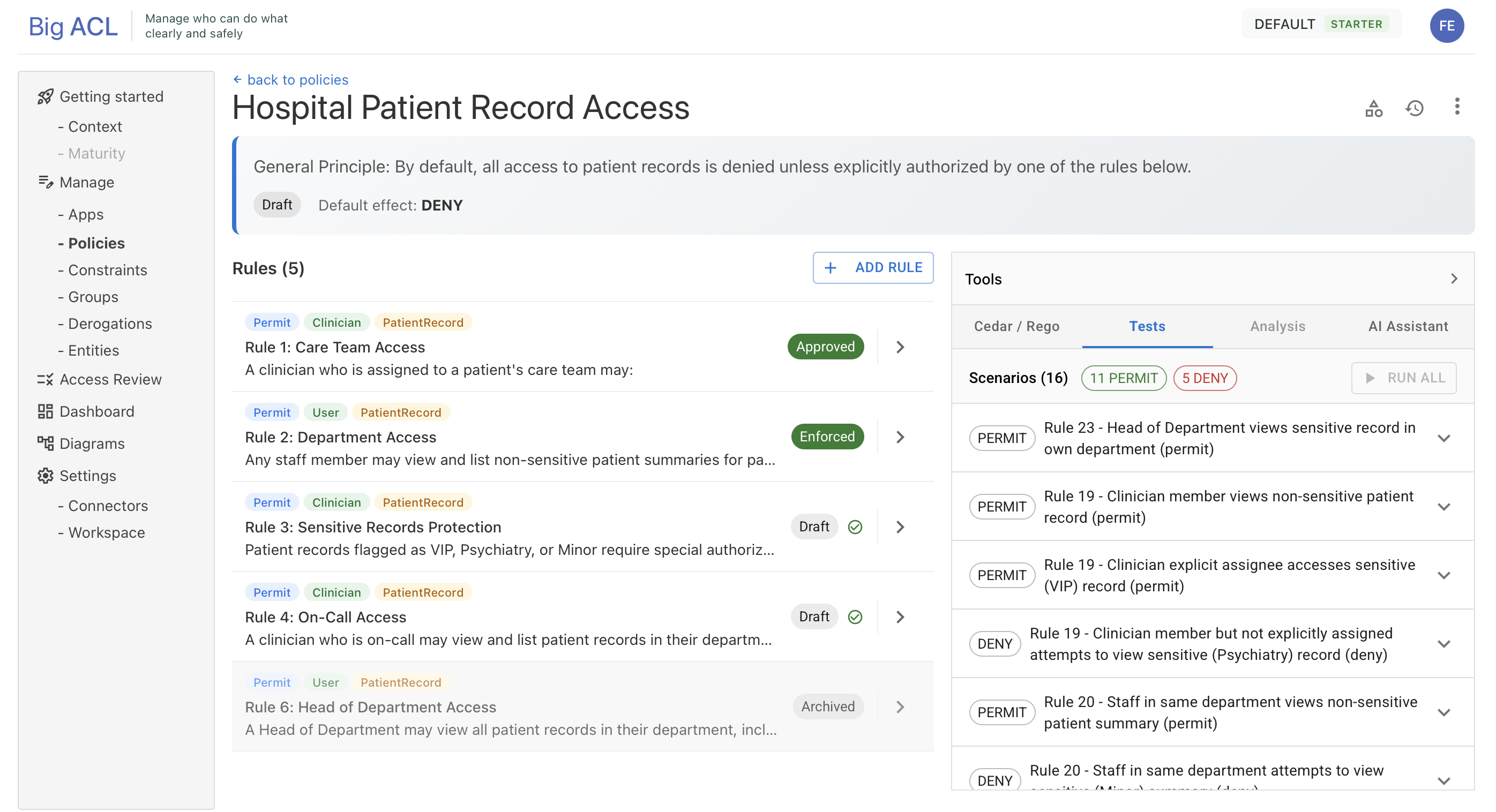
The test suite is accessible from the policy detail screen via the Verify Panel.
1. Overview
Section titled “1. Overview”Policy testing ensures that your authorization logic behaves as intended across different contexts. Tests are run at the policy level, covering all rules within the policy at once. The platform uses your rules, the extracted structured representations, and your organization’s entities to:
- Generate Gherkin test scenarios (Given / When / Then format)
- Simulate access decisions using the Big ACL policy engine
- Highlight discrepancies between expected and actual results
- Provide debugging information if conditions fail
- Display aggregated results: total, passed, and failed counts
This enables rapid validation without manually crafting complex test cases.
2. Accessing Policy Tests
Section titled “2. Accessing Policy Tests”- Open the policy containing the rules to test
- If the Verify Panel is not visible, open it using the toggle button
- Click on the Tests tab
3. Automatic Generation of Gherkin Test Scenarios
Section titled “3. Automatic Generation of Gherkin Test Scenarios”When tests are first accessed, Big ACL automatically generates a set of test scenarios in Gherkin syntax, a standard used in Behavior-Driven Development (BDD).
The generation analyzes all rules in the policy along with your data model to produce comprehensive scenarios.
During generation, the status displays GENERATING. Once complete, the status changes to READY.
4. Running Tests
Section titled “4. Running Tests”- Once tests are generated (status
READY), click Run Tests - The tests execute asynchronously (status
RUNNING) with automatic polling every 3 seconds - Results appear in real time as they become available
Processing cycle:
NONE → GENERATING → READYREADY → RUNNING → READY* → ERROR5. Reading Test Results
Section titled “5. Reading Test Results”Results are displayed in two layers:
- Summary: aggregated counts of total, passed, and failed scenarios
- Detail: each scenario is shown in an accordion with the full Gherkin format
Each scenario shows:
- Given — the context (principal, resource, and their attributes)
- When — the action being attempted
- Then — the expected result (permit or deny) and whether it passed or failed