Creating an Authorization Rule
1. Overview
Section titled “1. Overview”A rule expresses who can perform which action on which resource, optionally under which conditions. To simplify rule creation, the platform provides:
- A multi-step creation editor
- A natural language editor
- Automatic semantic parsing
- Entity and attribute auto-detection
- Generation of equivalent Cedar and Rego policies
- Validation against your organization’s data model
This workflow eliminates the need to manually write low-level policy code.
2. Starting from a Policy
Section titled “2. Starting from a Policy”Rules are always created within a policy. To add a new rule:
- Navigate to Policies
- Open (or create) the policy in which to add the rule
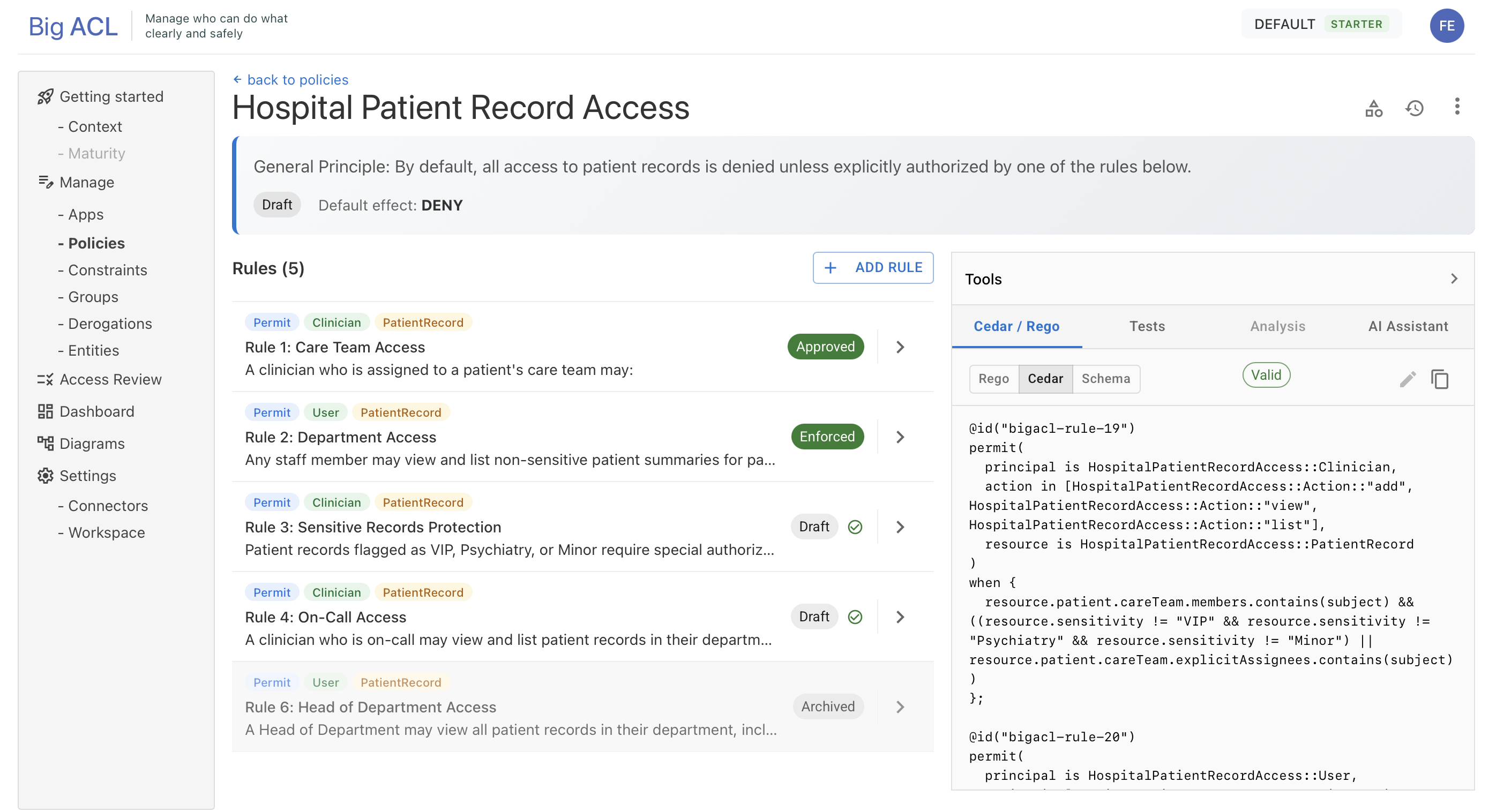
- In the Authoring Zone, click Add Rule
- The multi-step creation editor opens (
/policies/:policyId/rules/new)
3. Natural Language Rule Authoring
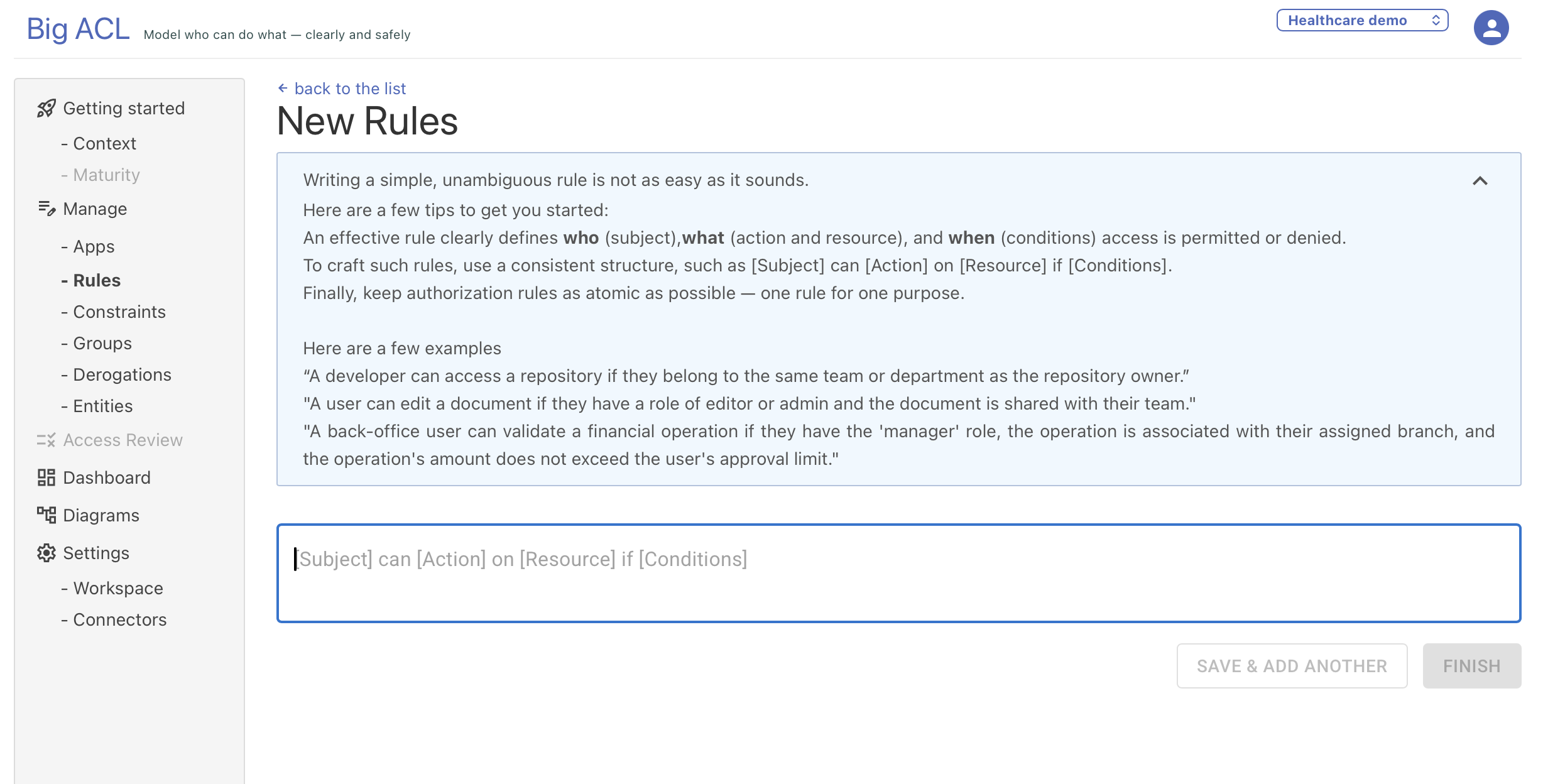
Section titled “3. Natural Language Rule Authoring”The first step is writing the rule using free-form text. The platform interprets your input using its semantic parser.
Example
Section titled “Example”A developer can access a repository if at least one of the following conditions is met:
- they are the owner of the repository
- they belong to the same team or department as the repository owner
Recommended Structure
Section titled “Recommended Structure”While natural language is flexible, the platform performs best when your rule clearly expresses:
- Principal (the subject)
- Action
- Resource
- Conditions (optional)
Examples:
- “Managers can approve expense reports.”
- “Any user may read documents in the public folder.”
- “Data Stewards can update datasets if they belong to the same department.”
You are not required to reference technical identifiers; the platform resolves human-friendly labels to the underlying entity and attribute IDs.
4. Analysis and Component Extraction
Section titled “4. Analysis and Component Extraction”Once you submit the natural-language description, Big ACL runs a sequential analysis pipeline:
- Parsing: validates the sentence and detects roles, actions, and resource types
- Entity Resolution: matches detected terms to your organization’s canonical data model (entities, attributes, actions)
- Conflict Detection: identifies potential conflicts with other rules in the policy
- Test Generation: suggests test cases to validate the rule behavior
During analysis:
- The rule cannot be edited
- An analysis status indicator shows the current step and progress (
PENDING,COMPLETE,ERROR)
5. Reviewing Extracted Components
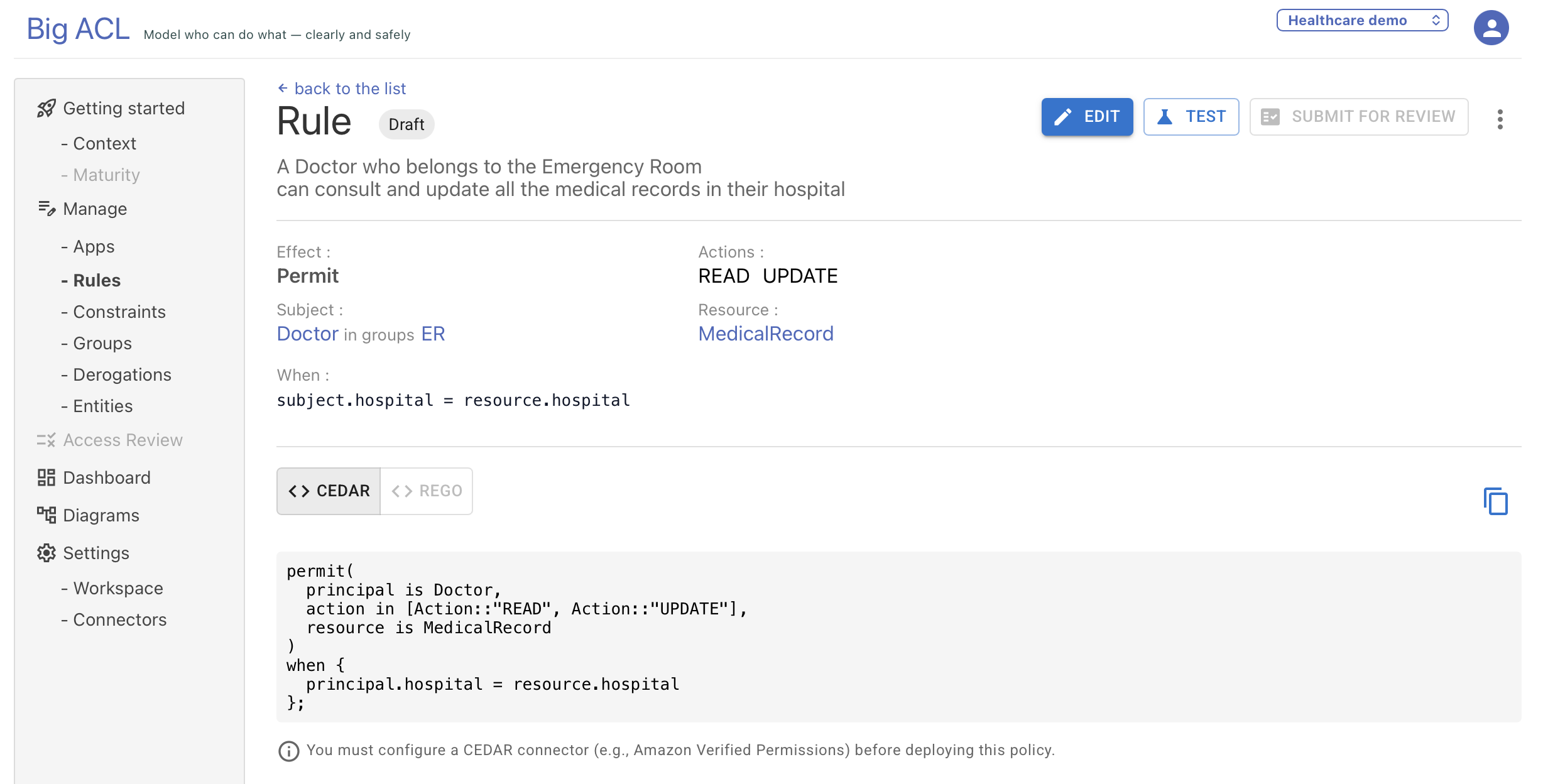
Section titled “5. Reviewing Extracted Components”After analysis, review the extracted structured representation:
- Subject (principal type and optional groups)
- Resource (resource type and optional groups)
- Actions (the operations being permitted or denied)
- Conditions (when/unless constraints)
6. Platform-Generated Policy Code
Section titled “6. Platform-Generated Policy Code”After extracting the rule structure, Big ACL automatically generates policy code in several languages.